Are the sampled PDFs image-only?
Answer: Never
Score: 2
Notes:
Score: 2
Notes:
Are the sampled PDFs locked (secured)?
Answer: Never
Score: 2
Notes:
Score: 2
Notes:
Are the sampled PDFs fully searchable?
Answer: Always
Score: 2
Notes:
Score: 2
Notes:
Are alternative descriptions provided?
Answer: Sometimes
Score: 1
Notes: Images in PDFs are primarily restricted to arrows and charts. Some arrows lack alternative text.
Score: 1
Notes: Images in PDFs are primarily restricted to arrows and charts. Some arrows lack alternative text.
Is primary language specified?
Answer: Always
Score: 2
Notes:
Score: 2
Notes:
Is reliable character encoding provided?
Answer: Always
Score: 2
Notes:
Score: 2
Notes:
Are all page elements tagged?
Answer: Always
Score: 2
Notes:
Score: 2
Notes:
Are list and table structure correct?
Answer: Always
Score: 2
Notes:
Score: 2
Notes:
Does the Read Out Loud function read the PDF in a logical way, preserving the order of the text and various sections?
Answer: Sometimes
Score: 1
Notes: Most documents (2/3) not readable in Adobe ("empty page" warning). Same documents were readable in Microsoft Edge. Some documents (1/3) readable in Adobe.
Score: 1
Notes: Most documents (2/3) not readable in Adobe ("empty page" warning). Same documents were readable in Microsoft Edge. Some documents (1/3) readable in Adobe.
Does the Read out Loud function avoid problematic elements such as excessive blank spaces read as “blank”?
Answer: Always
Score: 2
Notes: Where Read Out Loud function works with document.
Score: 2
Notes: Where Read Out Loud function works with document.
Are the controls consistent and effective for navigating through the document?
Answer: Always
Score: 2
Notes: Where Read Out Loud function works.
Score: 2
Notes: Where Read Out Loud function works.
When zooming in to 250%, does all text, images, tables, and other elements appear clear and easy to read?
Answer: Always
Score: 2
Notes:
Score: 2
Notes:
Are the images positioned prominently and easy to find?
Answer: Sometimes
Score: 1
Notes: Where present, logo is placed in top right corner. Other images are prominently positioned.
Score: 1
Notes: Where present, logo is placed in top right corner. Other images are prominently positioned.
Do informative images contain appropriate alt text or an appropriate textual alternative?
Answer: Sometimes
Score: 1
Notes: Alternative text is frequently inadequate to describe the contents of the image.
Score: 1
Notes: Alternative text is frequently inadequate to describe the contents of the image.
Do images used as titles contain appropriate alt text or an appropriate textual alternative?
Answer: Sometimes
Score: 1
Notes: Logo is listed as "other elements" by Adobe Acrobat and passes alternative text check.
Score: 1
Notes: Logo is listed as "other elements" by Adobe Acrobat and passes alternative text check.
Do rich images contain appropriate alt text or an appropriate textual alternative?
Answer: Never
Score: 0
Notes: Rich images lack appropriate alternative text.
Score: 0
Notes: Rich images lack appropriate alternative text.
Are tables tagged and described with in-text summaries where appropriate?
Answer: Always
Score: 2
Notes:
Score: 2
Notes:
Do table headers allow for easy navigation with screen readers?
Answer: Always
Score: 2
Notes:
Score: 2
Notes:
Does the bookmarks panel display bookmarks?
Answer: Always
Score: 2
Notes:
Score: 2
Notes:
Do bookmarks link to the correct sections in the document?
Answer: Always
Score: 2
Notes:
Score: 2
Notes:
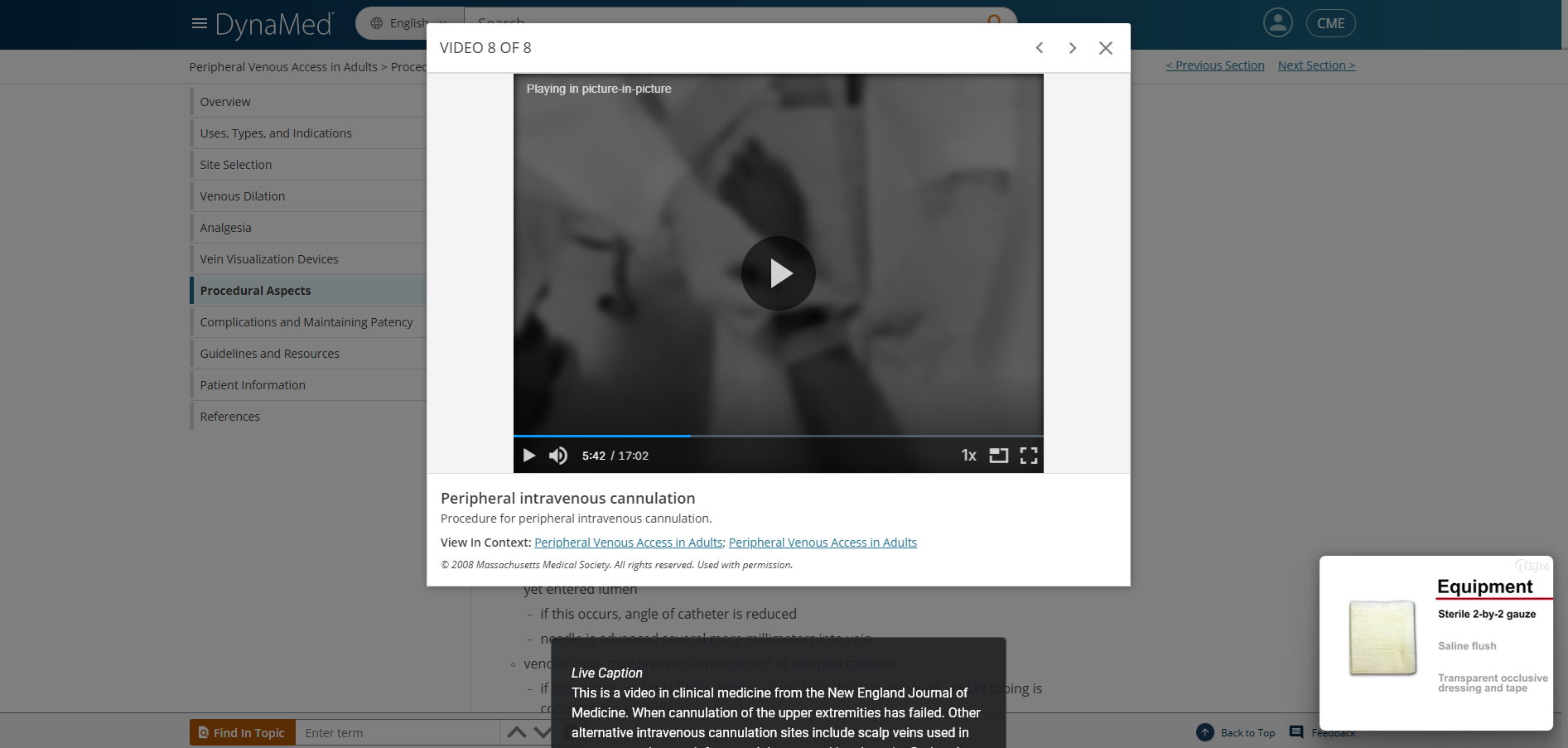
Are videos captioned?
Answer: Always
Score: 2
Notes: Videos are captioned using the browser's "live captions" tool (Google Chrome).
Score: 2
Notes: Videos are captioned using the browser's "live captions" tool (Google Chrome).
If captions are closed, and need to be turned on by the user, is that process straightforward and intuitive?
Answer: Never
Score: 0
Notes: Videos must be opened in Picture-in-Picture mode to toggle on live captions, which appear elsewhere in the browser (not in the video screen). Videos without sound also contain the live caption feature. Once toggled on, live captions remain on for the next video. The process to do so is not clear to the user. If skipping ahead in the video, captions pick up from the new play point without filling in the prior captions.
Score: 0
Notes: Videos must be opened in Picture-in-Picture mode to toggle on live captions, which appear elsewhere in the browser (not in the video screen). Videos without sound also contain the live caption feature. Once toggled on, live captions remain on for the next video. The process to do so is not clear to the user. If skipping ahead in the video, captions pick up from the new play point without filling in the prior captions.
Are captions typo-free and grammatically correct (unless slang and grammatical errors are intentionally used in the video)?
Answer: Sometimes
Score: 1
Notes: Some medical jargon contains typos.
Score: 1
Notes: Some medical jargon contains typos.
Does caption placement avoid blocking any important visual components necessary to understand the video?
Answer: Sometimes
Score: 1
Notes: Live captions play in the bottom centre of the screen, while the video player remains in the centre of the screen and the picture-in-picture plays in the bottom right corner of the screen.
Captions may run off the bottom of the screen.
Score: 1
Notes: Live captions play in the bottom centre of the screen, while the video player remains in the centre of the screen and the picture-in-picture plays in the bottom right corner of the screen.
Captions may run off the bottom of the screen.
Are the captions in sync with spoken words?
Answer: Always
Score: 2
Notes:
Score: 2
Notes:
For videos that contain captions, are transcripts provided?
Answer: Never
Score: 0
Notes: No option to access a transcript or caption file.
Score: 0
Notes: No option to access a transcript or caption file.
For videos that do not contain captions, are transcripts provided?
Answer: Not Applicable
Score: -1
Notes: Videos contain live caption option.
Score: -1
Notes: Videos contain live caption option.
Do videos include described video, or if not, is there a text equivalent of the video provided on the same page or via a link?
Answer: Sometimes
Score: 1
Notes: Videos are used as supplementary resource for database content but text is not appropriately equivalent to replace video content.
Score: 1
Notes: Videos are used as supplementary resource for database content but text is not appropriately equivalent to replace video content.
If the video includes described video or a text equivalent of the video, is it an accurate description of the video contents?
Answer: Never
Score: 0
Notes: Text does not appropriately describe video content and should not be used as an equivalent resource. Video imagery is not described in text.
Score: 0
Notes: Text does not appropriately describe video content and should not be used as an equivalent resource. Video imagery is not described in text.
Is a link to a text transcript provided in reasonable proximity to the audio clip?
Answer: Never
Score: 0
Notes: No transcripts available.
Score: 0
Notes: No transcripts available.
If a transcript is provided, does it accurately capture the content of the audio?
Answer: Not Applicable
Score: -1
Notes: No transcripts available.
Score: -1
Notes: No transcripts available.