Can the purpose of each link be determined from the link text, or from the link text together with its surrounding context?
Answer: Always
Score: 2
Notes:
Score: 2
Notes:
Can keyboard focus be moved to all page elements?
Answer: Always
Score: 2
Notes:
Score: 2
Notes:
If moving keyboard focus away from a component requires more than arrow or tab keys, is this clearly indicated on the page?
Answer: Never
Score: 0
Notes:
Score: 0
Notes:
Is default keyboard navigation order logical and intuitive, following the visual flow of the page as described above?
Answer: Always
Score: 2
Notes:
Score: 2
Notes:
When using a keyboard to navigate the interface, is the keyboard focus indicator visible?
Answer: Sometimes
Score: 1
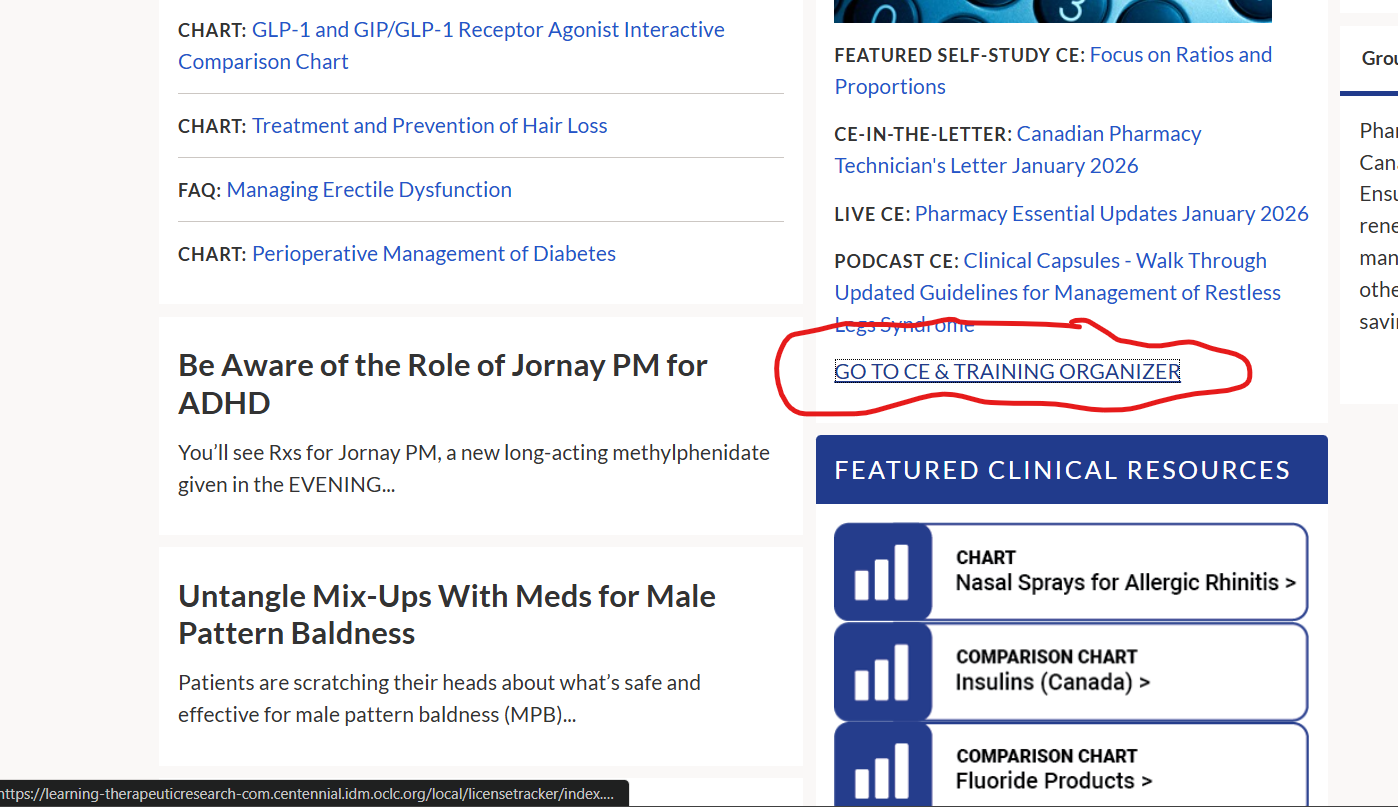
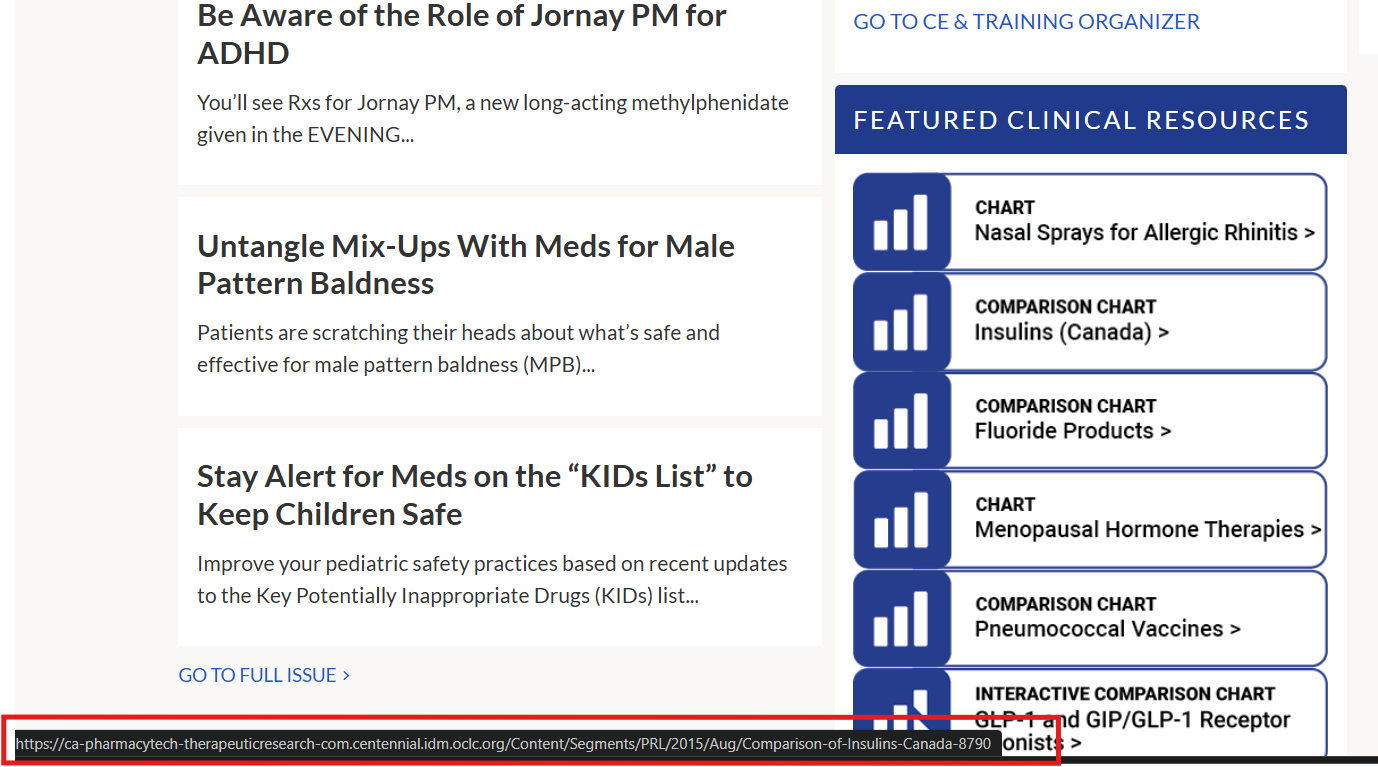
Notes: There are links in the middle of the page under Featured Clinical Resources where you can't see the indicator. There is text that pops up at the bottom of the page that indicates where you are, but it's not as intuitive as an actual highlight to follow along with. In the two pictures provided, you can see the keyboard focus indicator in the CE & Training Organizer, but when the Comparison of Insulins link under Featured Clinical Resources is receiving focus, there's no visual cue except the black outlined text at the bottom of the page.
Score: 1
Notes: There are links in the middle of the page under Featured Clinical Resources where you can't see the indicator. There is text that pops up at the bottom of the page that indicates where you are, but it's not as intuitive as an actual highlight to follow along with. In the two pictures provided, you can see the keyboard focus indicator in the CE & Training Organizer, but when the Comparison of Insulins link under Featured Clinical Resources is receiving focus, there's no visual cue except the black outlined text at the bottom of the page.
Does all interactive functionality work via keyboard, and does it behave consistently and as expected?
Answer: Sometimes
Score: 1
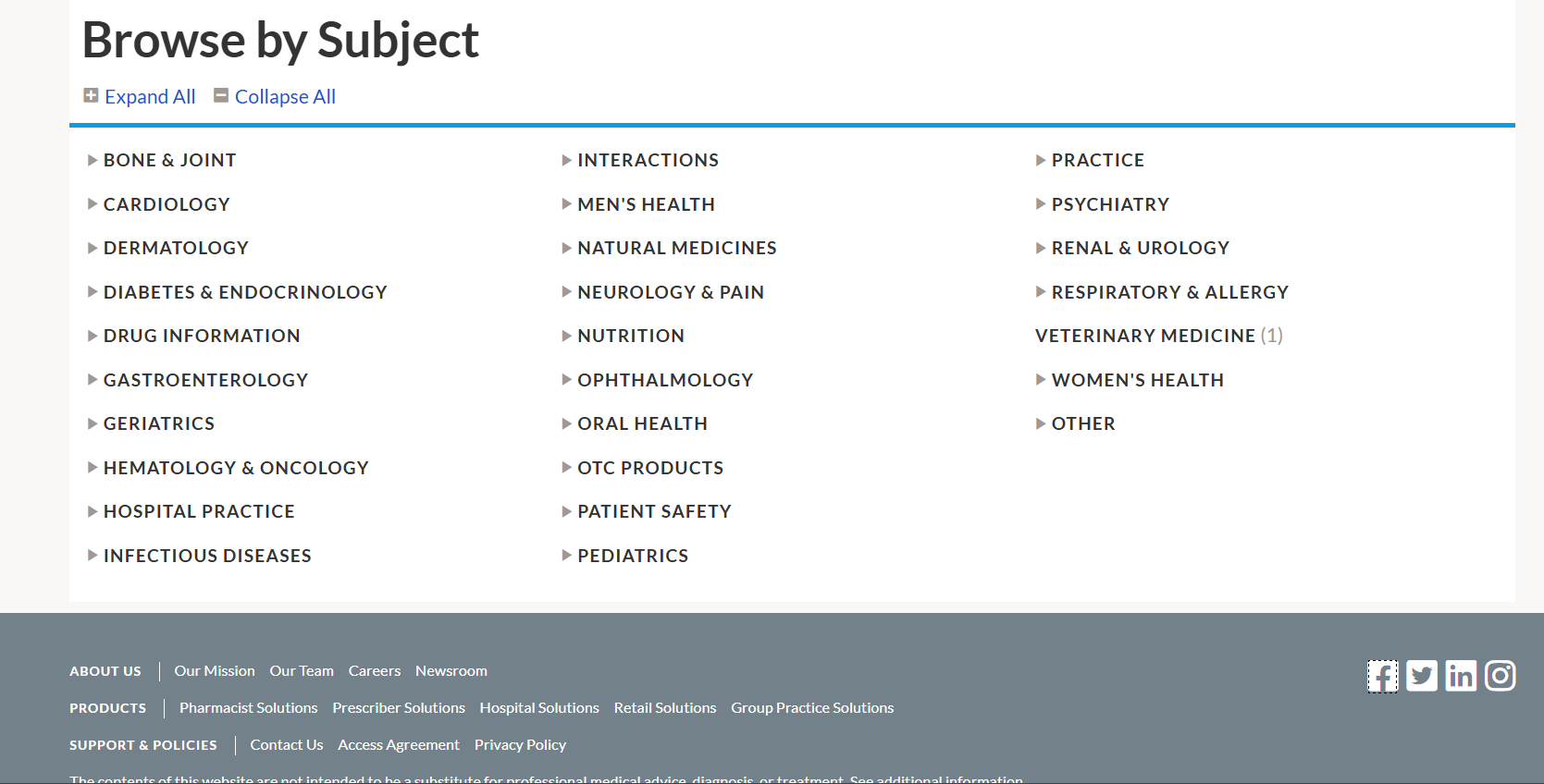
Notes: Drop-down lists only function if the mouse is used to either hover over the options in some cases, or to click the dropdown arrows in others. Otherwise, there seems to be no way to open dropdown menus with keyboard navigation alone. Additionally, in a screen that lists Browse by Subject options, the keyboard jumps from the Collapse All option to the Veterinary Medicine option, bypassing all other subject headings, and from to the Facebook link in the footer (see picture).
Score: 1
Notes: Drop-down lists only function if the mouse is used to either hover over the options in some cases, or to click the dropdown arrows in others. Otherwise, there seems to be no way to open dropdown menus with keyboard navigation alone. Additionally, in a screen that lists Browse by Subject options, the keyboard jumps from the Collapse All option to the Veterinary Medicine option, bypassing all other subject headings, and from to the Facebook link in the footer (see picture).
Does focus order move sequentially across form fields?
Answer: Always
Score: 2
Notes:
Score: 2
Notes:
Are there skip links (either visible or invisible)?
Answer: Always
Score: 2
Notes: There are links to skip to the main content, but they are not obvious. Again, you have to read the text in the black text box that comes up at the bottom of the page.
Score: 2
Notes: There are links to skip to the main content, but they are not obvious. Again, you have to read the text in the black text box that comes up at the bottom of the page.
Are skip links visible or invisible?
Answer: Always
Score: 2
Notes: Invisible.
Score: 2
Notes: Invisible.
Are skip links (visible or invisible) positioned prominently near the beginning of the page?
Answer: Always
Score: 2
Notes:
Score: 2
Notes:
Are skip links labelled properly?
Answer: Never
Score: 0
Notes: They are barely labelled at all.
Score: 0
Notes: They are barely labelled at all.
Are skip links accessible via keyboard?
Answer: Always
Score: 2
Notes:
Score: 2
Notes:
Do anchors (link destinations) appear at the beginning of the relevant content?
Answer: Always
Score: 2
Notes:
Score: 2
Notes:
Does the reader capture accurate information as it appears in the table and the columns and rows?
Answer: Never
Score: 0
Notes: The tables I viewed can't be read by the screen reader.
Score: 0
Notes: The tables I viewed can't be read by the screen reader.
Does the screen reader successfully navigate from one frame to another?
Answer: Always
Score: 2
Notes:
Score: 2
Notes:
Does each frame have a meaningful title that tells the user the purpose of the frame?
Answer: Always
Score: 2
Notes:
Score: 2
Notes:
When navigating the page using keyboard navigation, is the user able to navigate effectively from one frame to the next?
Answer: Always
Score: 2
Notes:
Score: 2
Notes: