Can the purpose of each link be determined from the link text, or from the link text together with its surrounding context?
Answer: Always
Score: 2
Notes:
Score: 2
Notes:
Can keyboard focus be moved to all page elements?
Answer: Sometimes
Score: 1
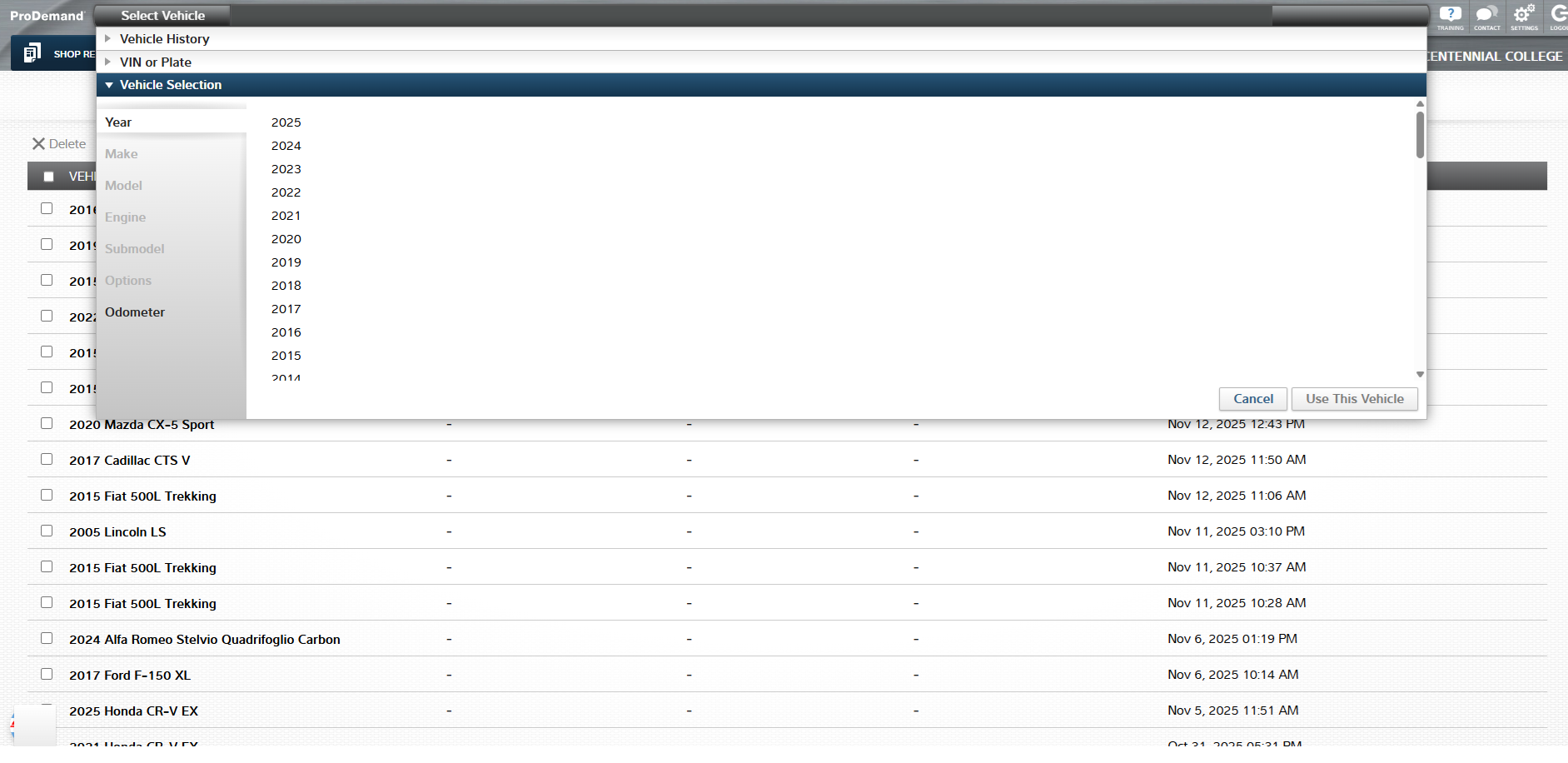
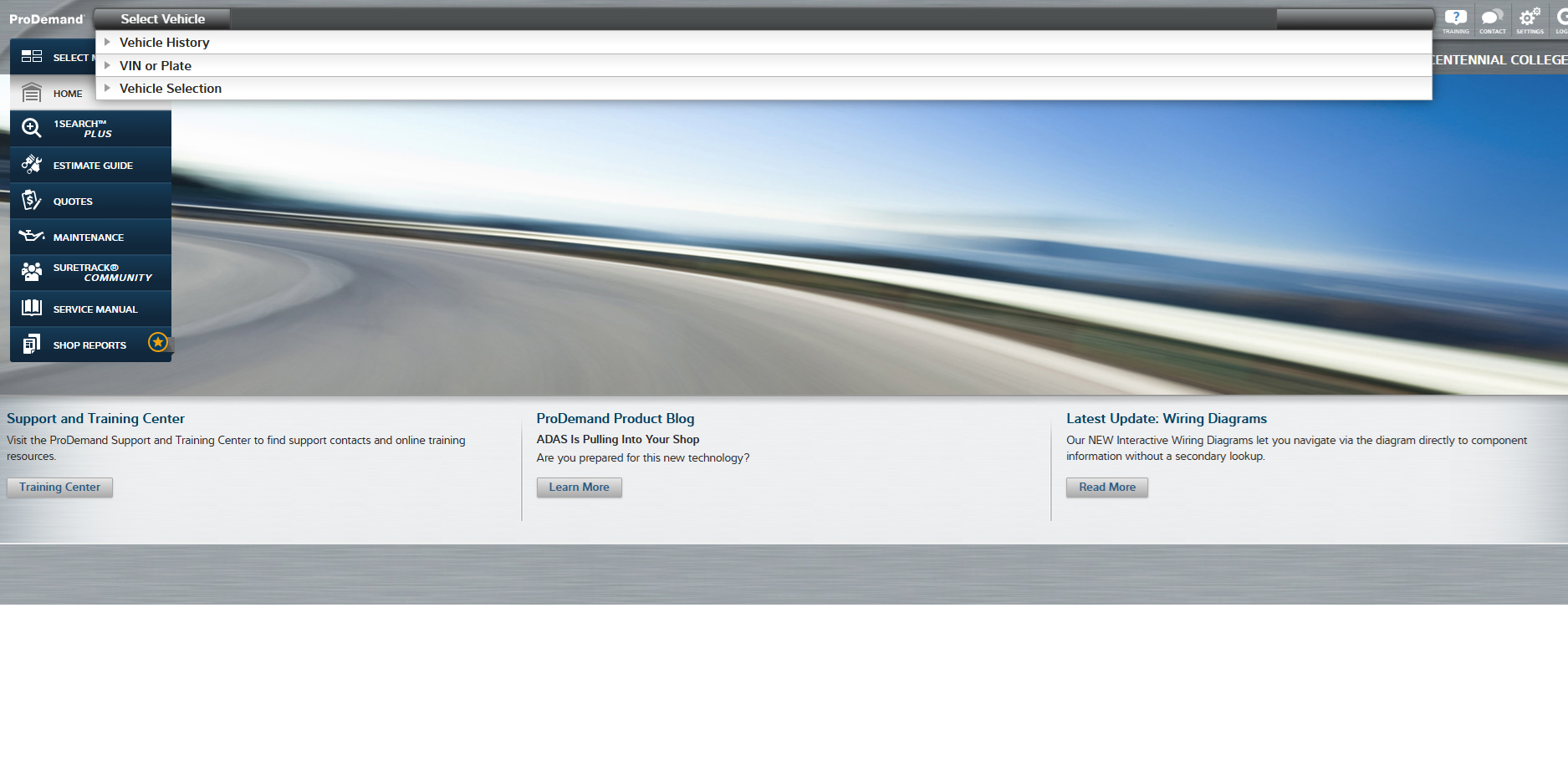
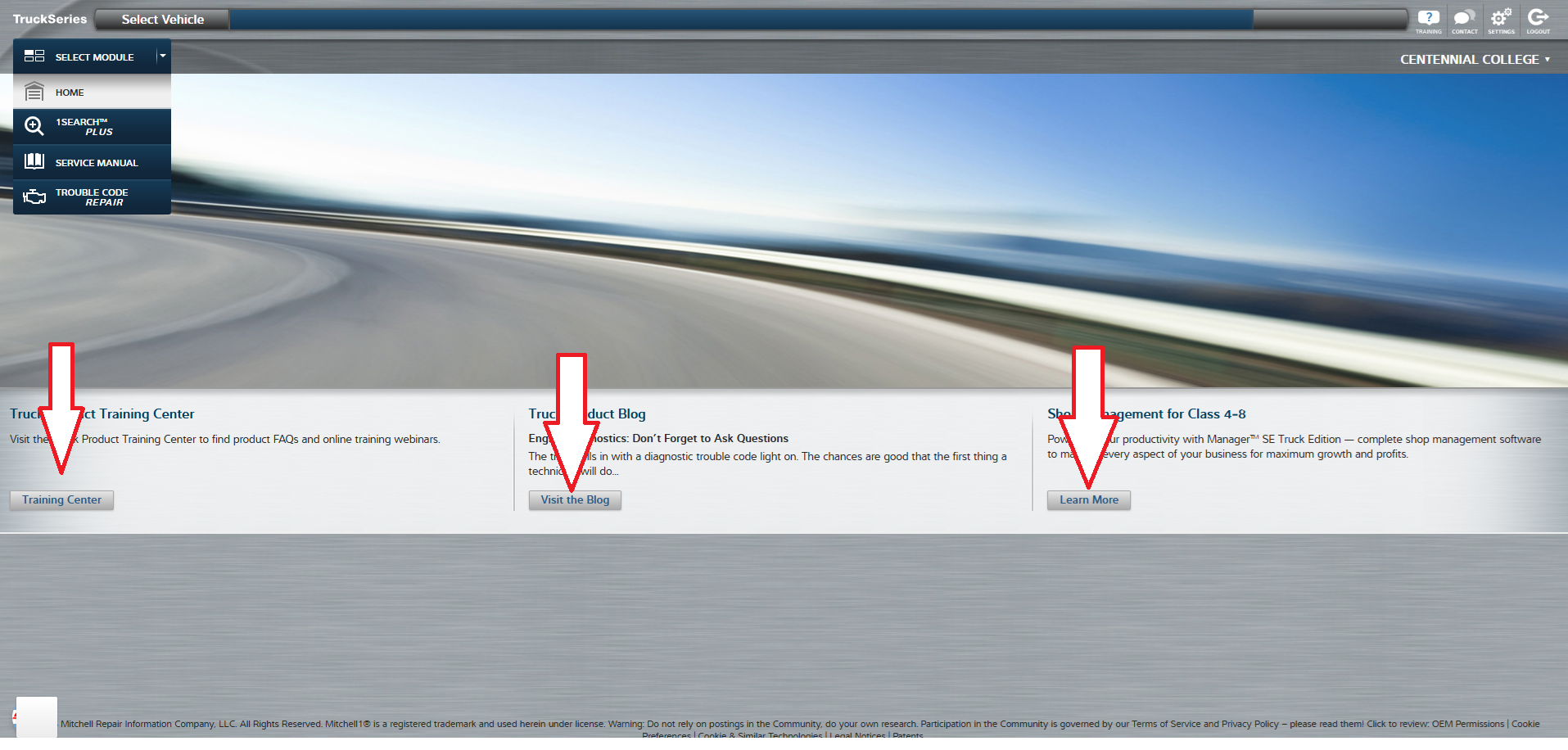
Notes: The main menus can be accessed using keyboard navigation, but you can't seem to navigate the Select Vehicle menu using the keyboard. Instead, you can open the select vehicle menu, but then the keyboard navigation just tabs between the options on the main menu, and ignores the Select Vehicle menu completely. Please see diagrams.
Score: 1
Notes: The main menus can be accessed using keyboard navigation, but you can't seem to navigate the Select Vehicle menu using the keyboard. Instead, you can open the select vehicle menu, but then the keyboard navigation just tabs between the options on the main menu, and ignores the Select Vehicle menu completely. Please see diagrams.
If moving keyboard focus away from a component requires more than arrow or tab keys, is this clearly indicated on the page?
Answer: Never
Score: 0
Notes: If there's a way to move focus - like in the Vehicle selection in the answer above - I have no idea what it is.
Score: 0
Notes: If there's a way to move focus - like in the Vehicle selection in the answer above - I have no idea what it is.
Is default keyboard navigation order logical and intuitive, following the visual flow of the page as described above?
Answer: Sometimes
Score: 1
Notes: Please note exception above with the Vehicle Selection menu.
Score: 1
Notes: Please note exception above with the Vehicle Selection menu.
When using a keyboard to navigate the interface, is the keyboard focus indicator visible?
Answer: Never
Score: 0
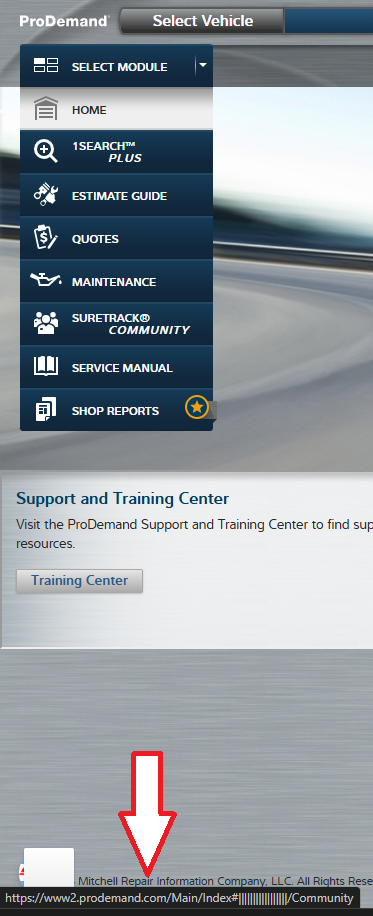
Notes: The keyboard focus is very hard to determine. You can tab through the browser controls, but once you get to the actual page content, you can't see where your focus is. All you can see is the link at the bottom of the page as it changes, but nothing on the actual page to suggest where the focus is (see focus file).
Score: 0
Notes: The keyboard focus is very hard to determine. You can tab through the browser controls, but once you get to the actual page content, you can't see where your focus is. All you can see is the link at the bottom of the page as it changes, but nothing on the actual page to suggest where the focus is (see focus file).
Does all interactive functionality work via keyboard, and does it behave consistently and as expected?
Answer: Sometimes
Score: 1
Notes: The main menus can be accessed using keyboard navigation, but you can't seem to navigate the Select Vehicle menu using the keyboard. Instead, you can open the select vehicle menu, but then the keyboard navigation just tabs between the options on the main menu, and ignores the Select Vehicle menu completely.
Score: 1
Notes: The main menus can be accessed using keyboard navigation, but you can't seem to navigate the Select Vehicle menu using the keyboard. Instead, you can open the select vehicle menu, but then the keyboard navigation just tabs between the options on the main menu, and ignores the Select Vehicle menu completely.
Does focus order move sequentially across form fields?
Answer: Sometimes
Score: 1
Notes: The main menus can be accessed using keyboard navigation, but you can't seem to navigate the Select Vehicle menu using the keyboard. Instead, you can open the select vehicle menu, but then the keyboard navigation just tabs between the options on the main menu, and ignores the Select Vehicle menu completely.
When a user is using a screen reader, for example, to look up an issue with a vehicle, the page will appear as a pop-up over the menu page. I found instances of the screen reader reading the menu page rather than the current pop-up page.
Score: 1
Notes: The main menus can be accessed using keyboard navigation, but you can't seem to navigate the Select Vehicle menu using the keyboard. Instead, you can open the select vehicle menu, but then the keyboard navigation just tabs between the options on the main menu, and ignores the Select Vehicle menu completely.
When a user is using a screen reader, for example, to look up an issue with a vehicle, the page will appear as a pop-up over the menu page. I found instances of the screen reader reading the menu page rather than the current pop-up page.
Are there skip links (either visible or invisible)?
Answer: Sometimes
Score: 1
Notes: The main page doesn't have skip links. But several other pages do - please see uploaded file.
Score: 1
Notes: The main page doesn't have skip links. But several other pages do - please see uploaded file.
Are skip links visible or invisible?
Answer: Always
Score: 2
Notes: Until the keyboard navigation activates them.
Score: 2
Notes: Until the keyboard navigation activates them.
Are skip links (visible or invisible) positioned prominently near the beginning of the page?
Answer: Always
Score: 2
Notes:
Score: 2
Notes:
Are skip links labelled properly?
Answer: Always
Score: 2
Notes:
Score: 2
Notes:
Are skip links accessible via keyboard?
Answer: Always
Score: 2
Notes:
Score: 2
Notes:
Do anchors (link destinations) appear at the beginning of the relevant content?
Answer: Always
Score: 2
Notes:
Score: 2
Notes:
Does the reader capture accurate information as it appears in the table and the columns and rows?
Answer: Always
Score: 2
Notes:
Score: 2
Notes:
Does the screen reader successfully navigate from one frame to another?
Answer: Always
Score: 2
Notes:
Score: 2
Notes:
Does each frame have a meaningful title that tells the user the purpose of the frame?
Answer: Always
Score: 2
Notes:
Score: 2
Notes:
When navigating the page using keyboard navigation, is the user able to navigate effectively from one frame to the next?
Answer: Always
Score: 2
Notes:
Score: 2
Notes: