Are the images positioned prominently and easy to find?
Answer: Always
Score: 2
Notes:
Score: 2
Notes:
Are there functional images embedded in the background?
Answer: Never
Score: 2
Notes: There is no misalignment when the width and height of the browser are changed.
Score: 2
Notes: There is no misalignment when the width and height of the browser are changed.
Do informative images contain appropriate alt text or an appropriate textual alternative?
Answer: Always
Score: 2
Notes: Not all icons used as informative images have alt-text, but do have appropriate textual alternative.
Score: 2
Notes: Not all icons used as informative images have alt-text, but do have appropriate textual alternative.
Do functional images contain appropriate alt text or an appropriate textual alternative?
Answer: Sometimes
Score: 1
Notes: Screenshots of videos are used as functional images, and alt-text is applied inconsistently. There are instances of nearby functional images having same alternative text as well as instances of functional images having no alt-text at all.
In some instances, it would be appropriate to include equivalent text next to the image, with null alt text.
Score: 1
Notes: Screenshots of videos are used as functional images, and alt-text is applied inconsistently. There are instances of nearby functional images having same alternative text as well as instances of functional images having no alt-text at all.
In some instances, it would be appropriate to include equivalent text next to the image, with null alt text.
Do images used as text contain appropriate alt text or an appropriate textual alternative?
Answer: Not Applicable
Score: -1
Notes: There does appear to be any images used as text.
Score: -1
Notes: There does appear to be any images used as text.
When zoomed in at 200%, is text intact, readable, and not cut off?
Answer: Always
Score: 2
Notes:
Score: 2
Notes:
Are images clear and unpixelated at 200%?
Answer: Always
Score: 2
Notes:
Score: 2
Notes:
Is horizontal scrolling minimized at 200%?
Answer: Always
Score: 2
Notes:
Score: 2
Notes:
Do text and images have a contrast ratio of at least 4.5:1?
Answer: Sometimes
Score: 1
Notes: There are several instances of text having a failing contrast ratio e.g. 3.05:1 (for all links), 2.62:1 (search button).
Score: 1
Notes: There are several instances of text having a failing contrast ratio e.g. 3.05:1 (for all links), 2.62:1 (search button).
Do colour coded graphs have text equivalents?
Answer: Not Applicable
Score: -1
Notes: There are no colour coded graphs in this eresource.
Score: -1
Notes: There are no colour coded graphs in this eresource.
Are blocks of content separated from one another using visual separation (such as whitespace or borders)?
Answer: Always
Score: 2
Notes:
Score: 2
Notes:
Are text alternatives provided where colour is used to indicate an action?
Answer: Always
Score: 2
Notes:
Score: 2
Notes:
Using your mouse, is the clickable area around links and buttons large enough for users to see and activate easily?
Answer: Always
Score: 2
Notes:
Score: 2
Notes:
Using your mouse to test links, are links and buttons far enough apart for users to accurately activate?
Answer: Sometimes
Score: 1
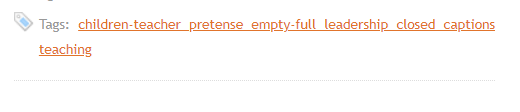
Notes: There are instances of multiple links in a row that could be considered not far enough apart, and with them being low contrast between text and background colours (according to WAVE), users may have trouble accurately activating the right link. See image attached.
Score: 1
Notes: There are instances of multiple links in a row that could be considered not far enough apart, and with them being low contrast between text and background colours (according to WAVE), users may have trouble accurately activating the right link. See image attached.
Using any method to test links, are all links and buttons functional (i.e., not dead)?
Answer: Always
Score: 2
Notes:
Score: 2
Notes:
Can users pause carousel movement?
Answer: Not Applicable
Score: -1
Notes: There are no carousel items.
Score: -1
Notes: There are no carousel items.
Is all functionality, including navigating between carousel items, operable by keyboard?
Answer: Not Applicable
Score: -1
Notes: There are no carousel items.
Score: -1
Notes: There are no carousel items.
Is the order of the text preserved at all screen resolutions, without overlap?
Answer: Always
Score: 2
Notes:
Score: 2
Notes:
Do images avoid overlapping at all screen resolutions?
Answer: Always
Score: 2
Notes:
Score: 2
Notes:
Is the overall reading experience preserved at all screen resolutions?
Answer: Always
Score: 2
Notes:
Score: 2
Notes: